As an admin, you can restrict your employees from applying for leave while the leave year-end process is in progress, until it is completed.
From the greytHR Admin portal, go to System Settings > Leave > Leave Option > Leave Settings.
Enable the checkbox Restrict leave applications until the year-end process is complete.
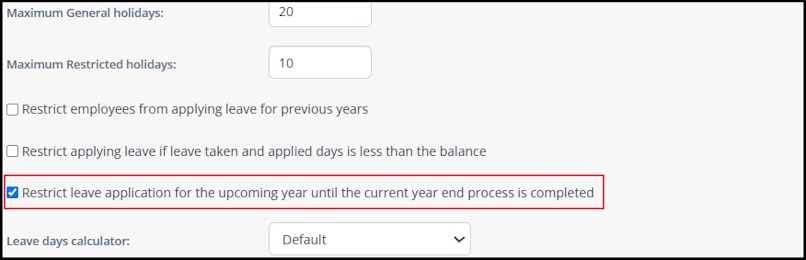
Once enabled, employees won’t be able to apply for leave until the leave year-end process is completed.
Looking for More Support?
Find answers and insights across our resources. Refer to our detailed Knowledge Base for in-depth articles, explore our practical Video Guides, and stay informed with our Latest Product Updates.
Want to explore more features on greytHR? Talk to Us!
Was this article helpful?
That’s Great!
Thank you for your feedback
Sorry! We couldn't be helpful
Thank you for your feedback
Feedback sent
We appreciate your effort and will try to fix the article